Installation Steps
Step 1
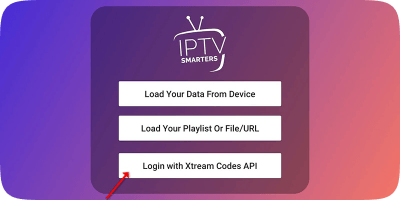
Open the app once downloaded and click on "Add user" then click on "Login with Xtream Codes API".
Step 2
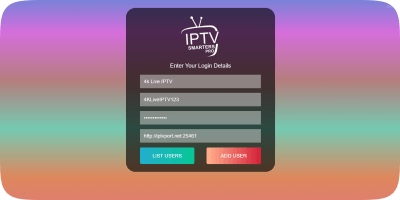
In this step, in the first box, select any name you want for example "4K Live IPTV". On the second and third boxes, enter the "Username" and the "Password" and the server URL that we sent you via Email or Live Chat. Now Click on "ADD USER" to proceed to the next section.
Step 3
Now you must wait for the channels and VODs to load. This process may take a few seconds.

Step 4
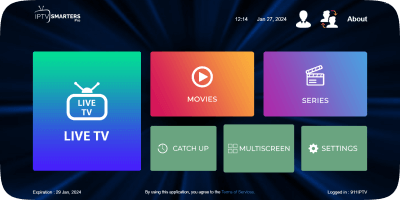
Now click on the "Live TV" icon as depicted in the image via a red arrow.
Step 5
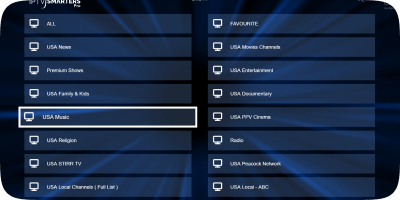
Now you must select the channel group that you want to watch and proceed to the next section.
Step 6
Now you must click on the channel name and then double click on the small screen to turn into the full screen as the final step.